Wednesday, May 11, 2016

Stylised Prop - Gravity Karts, Modeling Kart 1

I'm flying through the modelling process and i've already got the first Kart completed today.

3dsMax Viewport with Skylight
Wireframe
Colour Ink Shader
Modelling has been fairly easy due to the simple shapes. The hardest part was matching up the scale by eye and realising which components of the concept are in keeping with the perspective and which parts need to be rescaled.

Components like the wheels which should normally be one object, i've seperated into different meshes to allow for the eventual application of the toon outline effect which I've seen is possible in SketchFab. Having every component that's outlined in the concepts as separate meshes means I can tackle the texturing slightly differently aswell. Instead of unwrapping everything to one sheet and texturing from there, I'm going to break down the painterly materials into multiple tiling textures and rely on separated geometry and surfaces broken up by material ID's to achieve the look.

You can see already that just through colour picking from the materials in the concepts and applying them to the divided material IDs on the components, that the base values are in place. All I need to do now is paint tiling textures and plan a way to efficiently group the unique textures such as the tree trunk spirals and rope.

I'm hoping that by using the geometry for details such as the cuts in the wood, I will be able to have higher quality textures overall and not have to focus on pixel painting those details.

One problem I do have at the minute is with the Normals on the Vases, it's not really that noticable from the screenshot but in the 3dsMax viewport the Normals seem to have weird shadowing issues along the edges where the vertices meet. I've tried resetting and correcting the Normals and it isn't fixed with smoothing groups either so i'm hoping it becomes eradicated when I import to Sketchfab.


Tuesday, May 10, 2016

Stylised Prop - Gravity Karts

Out of the small 3 week projects available to chose from, I have chosen to do a prop from the stylised category. The reason I've chosen to do a stylised asset is because after the realistic rooftop i'd like to experiment with something more playful in terms of the scaling and texturing.

The brief in short explains that the concepts for the Gravity Karts are already provided and we have to reproduce whats seen in the concept into a 3d model, we are only allowed to use 1x 512x512 texture sheet and 3k tris for each concept. There are 3 - 4 concepts to model depending on how quick you are to complete each one.

The concepts are as follows...
Stage 1
Stage 2
Stage 3
Stage 4
The principle is that each stage is an iteration of the Karts upgrades. Stages 1, 2 and 3 have shared elements between them, which if factored into the modelling process, will save me some time. A hard part of the work will be to correctly match the scale of the Karts, as I get the impression the concepts are only suggestive of how the elements are scaled together and not necessarily calculated in terms of the perspective and proportional feasibility.  I think some artistic judgement will come into play when replicating the model proportions, the textures however I'm sure I will be able to keep pretty close through sampling colours and copying surface definitions. 

Sunday, May 8, 2016

Realistic Basketball Court - Final Fixes and Reflection


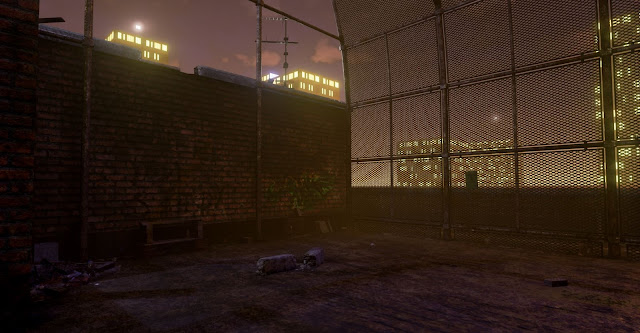
After fixing the problem on the glass (which was caused by a stray godray plane not being unchecked for casting shadows) I'm calling the environment done, as I need to move on to the other projects.

I've rendered a movie in UE4 using the matinee editor to show off the lighting and reflections that don't come across in the stills. I've also added small animated elements to some of the assets to bring the scene to life for the flythrough, I just need to find a way to upload it as my internet connection is terrible.

On reflection there are some things that I didn't fulfill with the environment and might still change if I have time. Firstly, the ladder on the side of the building was modeled for the intention of the player being able to climb up onto the roof, to increase the playable area, however the triangle budget didn't spread out enough to allow me to populate the roof with the same detail. Also having the roof as a playable area would mean I would have to create a believable way to fence the player in so as not to walk off the edge.

 This brings me to a related point that I'm not too happy with. Although the city surroundings were merely a backdrop for the environment, the sometimes visible horizon and deep surrounding void don't really promote a believable situ for the basketball court and make you feel a lot higher off the ground than intended.  

Another notable change I would make in reflection is that most of my props are small in scale and one of the cool things about the reference is the random larger objects found scattered around. Something I should have focused on modelling in hindsight, as I think the center floor of the court is lacking a focal point and most of the interesting compositions now come from the edges and buildings.    


Thursday, May 5, 2016

Realistic Basketball Court - Finalising the Environment

Since the last post I've made a lot of progress and I'd say i'm nearing finishing now.

Firstly I returned to modelling to make some more assets. Now that I had a base environment with a lighting and atmosphere set up close to my concept, I needed to start populating the scene with props to make it look more convincing of the vandalised and grungy aesthetic I'm striving for.

I've made some low poly assets of objects that are commonly found in neglected urban environments.


All textured with 1 x 1024x1024

Again, everything accept the rubble mound was textured in Substance Painter. Being able to quickly paint details through the Normals layer is great for giving assets damage and surface details. Obviously the results would be a lot more refined if I was to bake highpoly models down or open the workflow to Zbrush, but for non hero assets like these the results are good from Substance.

The rubble I created by overlaying different images of junk and debris and then making a height map for them. In Unreal I'm utilising a curved plane and Parralax Occlusion Mapping to give the effect of there being varying heights and non uniform edges to the plane.

 I've now populated the level with the props, focusing on the less interesting areas first and the places
where rubbish would naturally collect.


 After populating the level with all of the smaller props I didn't realise that I had gone over the triangle count and I had to go back into 3ds Max to reduce the tris where possible. However this time there wasn't anything that could optimised further without comprimising the meshes shape, so I had to delete some of the back faces from the cage mesh that you wouldn't see from player height and I reevaluated the placement of props, only adding them were it benefited the composition.

With some gaps to fill in the overall aesthetic of the level, but running out of triangles, I decided to make some assets from Alphas. I created a tarpaulin sheet to break up the silhouette of the cage and enhance the variety of scale, as at the minute most of the detail is on the floor.

The neon sign behind is also just an alpha, but I've masked off the writing to allow the emissive light to only show on that. The neon sign material is set to inject the emissive value into the LightPropagationVolume and on the StaticMesh I've ticked 'Use Emissive for Static Lighting'. This combined with the tarpaulin being set to a Subsurface material gives the impression of the sheet being slightly transparent and the neon sign having light properties.


Another alpha I chose to make was some vines. I felt like the scene definitely needed some greenery, even though it is set 10 stories of the ground.


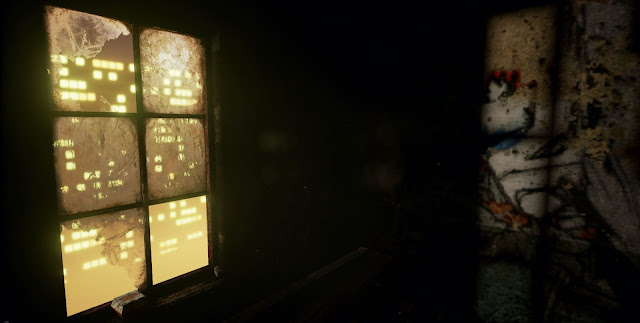
This interior space felt a little dull before as there is nothing in it, however the vines have now added some visual interest and variance from the building on the other side of the court. Even though its the same visual style throughout I'm trying to make each space visually different in some way to allow for multiple points of interest. The vines in harmony with other materials and a coloured light give this space a slightly different mood to the other tones featured outside. 


With some planes I've made godrays for the windows. The material consists of just a smoke cloud alpha texture, the parameters being set to 'Translucent' and 'Unlit' and a calculation of the camera position to fade out the godray when you walk towards it. The effect works well in most cases but I've found that it's best to place it in an area where the player cant navigate around it to much as it can become skewed and break the illusion if looked at from a bad angle. I've seen a cylinder used for godrays before which works well as you cant see any edges, however for me a plane will do as I don't have the tri's. You can also add particle effect to the godray to get cool floating dust inside.


I've also added glass to the windows now, something I hadn't intended originally but it adds a lot to the visuals and only required a plane to make.


The PostProcessVolume is something I've been playing with also. I utilised the colour lookup table to tweak the levels and colour balance slightly, along with the other useful features in the settings such as, Global Illumination, AO and I've used the depth of field to help emphasize the fog by blurring the city lights.

Without PostProcess
With PostProcess
With everything becoming finalised, I'm about to do the final light bake then start to execute the final renders also. The only problem I'm having now is eradicating this shadow problem that appears on some of the glass panes, I'm not sure where it's coming from, it could potentially be light map issues but the other panes have the same spacing so I don't think it's that. The light bake settings I'm using are large and time consuming but are giving good results all over the level especially in the interior spaces, so i'm going to keep using them.